
Barcode Generators allow easy barcode creation on web pages without programming, view an example or download a demo. IDAutomation offers JavaScript barcode examples, source code for Java servlets and barcode fonts.
Browse through the information below to locate the software and devices that can automate any business, or go directly to the IDAutomation Product Index to download an evaluation version or place an order with immediate product download. IDAutomation Java Barcode Servlets are able to stream, create and save barcode images (including SVG, PNG, JPEG and GIF) to a local hard drive or import them into other software.
Purchase or Download the IDAutomation Java Barcode
Packages.
Read the Internet Barcode FAQ &Tutorial to find the best Java barcode solution. Learn about the advantages and disadvantages of using applets and servlets to print barcodes from a web browser. Also view the servlet source code.
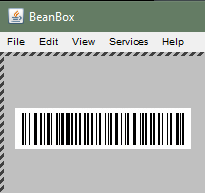
Try IDAutomation Java Products free by downloading a demo. The demo packages are fully functional and include JavaBeans, Class Libraries, Servlets, Applets and source code.
 IDAutomation self-checking barcode fonts allow
users to create barcodes in any application that uses fonts. The Code 39,
Codabar and Industrial 2 of 5 self-checking barcode fonts do not require
any complicated calculations.
IDAutomation self-checking barcode fonts allow
users to create barcodes in any application that uses fonts. The Code 39,
Codabar and Industrial 2 of 5 self-checking barcode fonts do not require
any complicated calculations.
IDAutomation has high-density barcodes that are not self-checking and therefore require check characters to be calculated and appended to the end of the data string. All are supplied with easy-to-understand methods and examples of calculating the check character with IDAutomation's Font Encoders. The most popular are Code 128, Interleaved 2 of 5 and UPC/EAN Barcodes.
IDAutomation MICR fonts allow the printing of numbers and codes to create bank checks or drafts from blank check stock. This product also comes with free Check Design & Printing Software, which assists in easily designing, creating and printing bank checks and labels.
The OCR-A and OCR-B fonts are used for OCR applications requiring these specific fonts.
 PDF417 and other
two-dimensional barcodes such as DataMatrix,
Aztec, QRCode and
MaxiCode allow encoding of more data in a smaller area.
PDF417 and other
two-dimensional barcodes such as DataMatrix,
Aztec, QRCode and
MaxiCode allow encoding of more data in a smaller area.
The type of barcode to use for a particular situation depends upon implementation, data to be encoded in the barcode and how the barcode is to be printed. There are several different types of barcode standards for different purposes, called symbologies. Each type of symbology (or barcode type) is a standard that defines the printed symbol and how a device such as a barcode scanner reads and decodes the printed symbol. For assistance in choosing the correct barcode for the planned use, please visit the barcode standard outline. Below are the most popular barcode symbology FAQ's:
It is important to have the ability to test printed barcodes with a barcode scanner. If a scanner is not available for testing purposes, IDAutomation provides barcode scanner kits & apps.